

Can I use a glass gaming mouse pad with a wireless mouse?
Jul 16, 2026
Leave a message
Using a glass gaming mouse pad with a wireless mouse is a topic that many gamers and tech enthusiasts often ponder. As a supplier of glass gaming mouse pads, I'm here to provide you with a comprehensive analysis of this combination.
Compatibility between Glass Gaming Mouse Pads and Wireless Mice
First and foremost, let's address the fundamental question of compatibility. In general, most wireless mice are compatible with glass gaming mouse pads. The key factor here is the sensor technology of the wireless mouse. Modern wireless mice are equipped with advanced optical or laser sensors that can accurately track movement on a variety of surfaces, including glass.
Optical sensors work by emitting light onto the surface and then analyzing the reflections to detect movement. Glass, being a smooth and flat surface, provides a consistent reflection pattern for the optical sensor, allowing for precise tracking. Laser sensors, on the other hand, use a laser beam to detect movement. They are even more sensitive and can work well on glass surfaces as long as the surface is clean and free of scratches.
However, there are a few things to keep in mind. Some older wireless mice may have sensors that are not optimized for glass surfaces. These mice may experience tracking issues, such as skipping or inaccurate movement. If you have an older wireless mouse, it's a good idea to test it on a glass gaming mouse pad before making a purchase.
Advantages of Using a Glass Gaming Mouse Pad with a Wireless Mouse
There are several advantages to using a glass gaming mouse pad with a wireless mouse.
1. Smoothness and Precision
Glass gaming mouse pads are known for their incredibly smooth surface. This smoothness allows the wireless mouse to glide effortlessly, providing a high level of precision. Whether you're aiming in a first - person shooter game or making detailed movements in a graphic design application, the smooth surface of the glass pad ensures that your mouse movements are translated accurately on the screen.
2. Durability
Glass is a very durable material. Unlike traditional cloth or plastic mouse pads, glass gaming mouse pads are resistant to wear and tear. They won't fray, peel, or develop uneven surfaces over time. This means that you can use your glass gaming mouse pad for a long time without having to worry about replacing it, which is a great investment for gamers and professionals alike.
3. Easy to Clean
Cleaning a glass gaming mouse pad is a breeze. You can simply wipe it down with a microfiber cloth and some glass cleaner. This is much easier than cleaning a cloth mouse pad, which may require more elaborate cleaning methods to remove dirt and stains. A clean mouse pad is essential for optimal mouse performance, and the ease of cleaning a glass pad makes it a practical choice.
4. Aesthetics
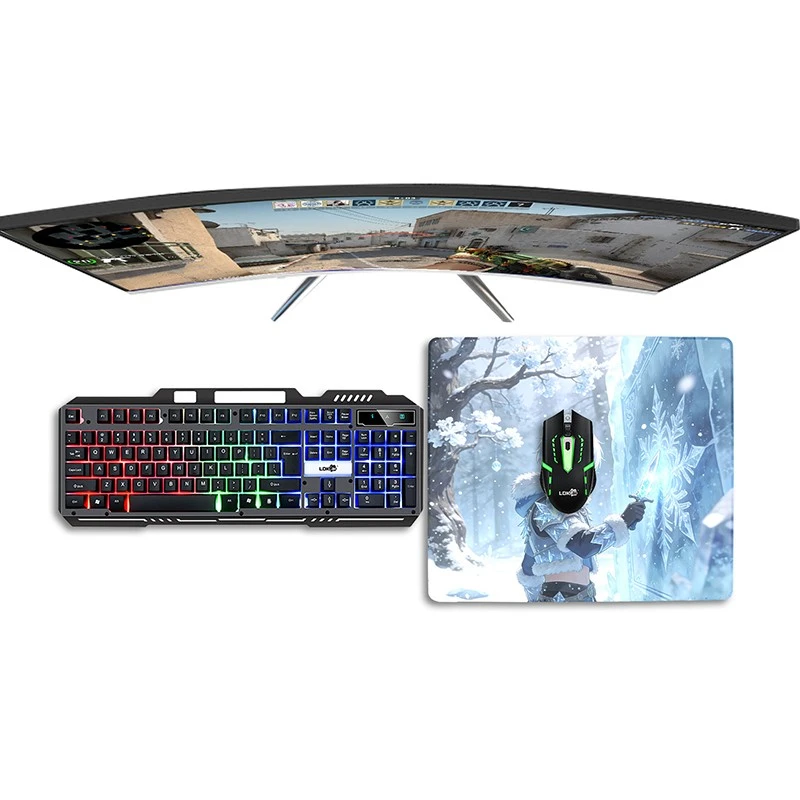
Glass gaming mouse pads have a sleek and modern look that can enhance the overall appearance of your gaming setup. They come in a variety of designs and colors, allowing you to choose one that matches your personal style. Whether you prefer a minimalist look or a more flashy design, there's a glass gaming mouse pad that will fit your needs.

Potential Challenges and How to Overcome Them
While there are many advantages to using a glass gaming mouse pad with a wireless mouse, there are also a few potential challenges that you may encounter.
1. Noise
Glass can be noisy when the mouse moves across it. This can be a problem, especially if you're in a quiet environment or if you're sensitive to noise. To reduce the noise, you can use mouse feet with a soft material. There are many aftermarket mouse feet available that are designed to reduce noise and provide a smoother glide on glass surfaces.
2. Static Electricity
Glass can build up static electricity, which may attract dust and debris. This can affect the performance of your wireless mouse. To prevent static electricity, you can use an anti - static spray on the glass surface. You can also keep the humidity in your environment at a moderate level, as dry air tends to increase static electricity.
3. Surface Imperfections
Even though glass is a smooth surface, it may have some minor imperfections, such as scratches or tiny bumps. These imperfections can cause the wireless mouse to skip or have inaccurate tracking. To avoid this, make sure to choose a high - quality glass gaming mouse pad from a reputable supplier. Best Glass Gaming Mouse Pad offers a range of high - quality glass gaming mouse pads that are carefully inspected to ensure a smooth and flawless surface.
Optimizing the Performance of Your Wireless Mouse on a Glass Gaming Mouse Pad
To get the best performance out of your wireless mouse on a glass gaming mouse pad, there are a few things you can do.
1. Adjust the Mouse Settings
Most operating systems allow you to adjust the mouse settings, such as the sensitivity and acceleration. Experiment with these settings to find the combination that works best for you. You may need to increase the sensitivity slightly when using a glass gaming mouse pad, as the smooth surface may require less effort to move the mouse.
2. Keep the Surface Clean
As mentioned earlier, a clean surface is essential for optimal mouse performance. Regularly clean your glass gaming mouse pad to remove any dust, dirt, or fingerprints. This will ensure that the wireless mouse can track accurately and smoothly.
3. Use the Right Mouse Feet
The type of mouse feet you use can have a significant impact on the performance of your wireless mouse on a glass gaming mouse pad. Choose mouse feet that are designed for smooth surfaces and provide a low - friction glide. Some mouse feet are made of materials such as PTFE (Teflon), which is known for its excellent glide properties.
Conclusion
In conclusion, using a glass gaming mouse pad with a wireless mouse is a viable option for most gamers and professionals. The combination offers many advantages, including smoothness, precision, durability, and aesthetics. While there are some potential challenges, such as noise and static electricity, these can be easily overcome with the right solutions.
If you're interested in purchasing a glass gaming mouse pad for your wireless mouse, we are here to help. We offer a wide range of high - quality glass gaming mouse pads that are designed to provide the best performance and user experience. Whether you're a casual gamer or a professional esports player, our glass gaming mouse pads can meet your needs. Contact us to start a purchase negotiation and take your gaming or work setup to the next level.
References
- "Mouse Sensor Technology: Optical vs. Laser" - Tech Review Magazine
- "The Benefits of Glass Gaming Mouse Pads" - Gaming Equipment Journal
- "How to Optimize Your Mouse Performance" - Computer Hardware Guide